Table of Contents
Before You Begin
Before requesting an in-person cash deposit or withdrawal, please review the following:
-
Transaction Limits: In-person cash deposits and withdrawals have a separate $20,000 limit from digital transactions.
-
Withdrawal Requirements: You must play at least 100 hands and complete the required identity verification before withdrawing funds.
-
Valid ID: Bring a valid government-issued ID when visiting your selected club location.
You can check your remaining transaction limits in the Cashier.
For more information about transaction limits, account tiers, and withdrawal requirements, see What Are the Transaction Limits in Hijack Poker.
Step 1: Log In to Hijack Poker
-
Visit Hijack Poker.
-
Log in to your account.
If you're having trouble logging in, visit our Technical Help section.
Step 2: Open the Cashier
-
Click your avatar/profile icon in the top corner.
-
Select Cashier from the menu.
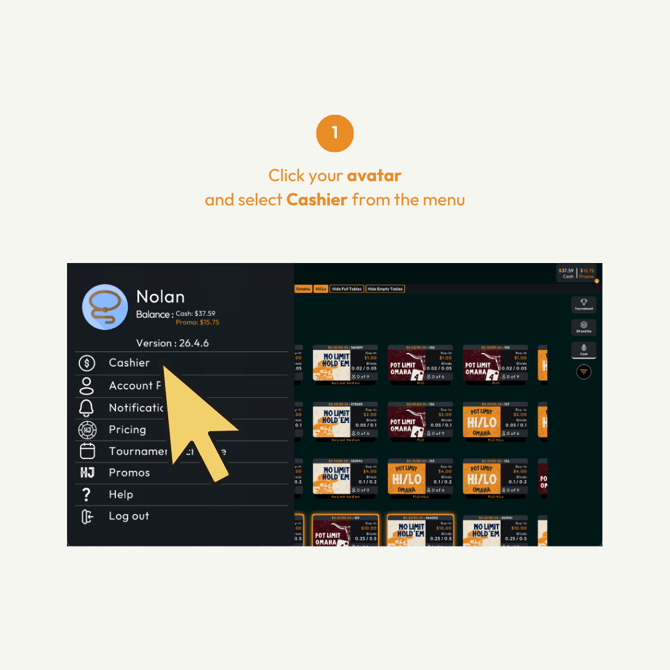
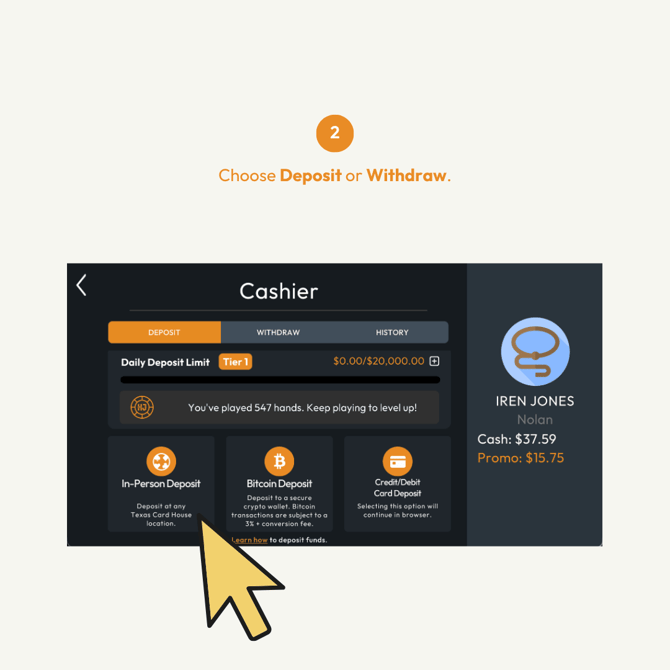
- Choose Deposit to add funds or Withdraw to take funds out.
- Select In-Person to continue with a cash transaction at a club location.
Step 3: Enter Your Transaction Details
-
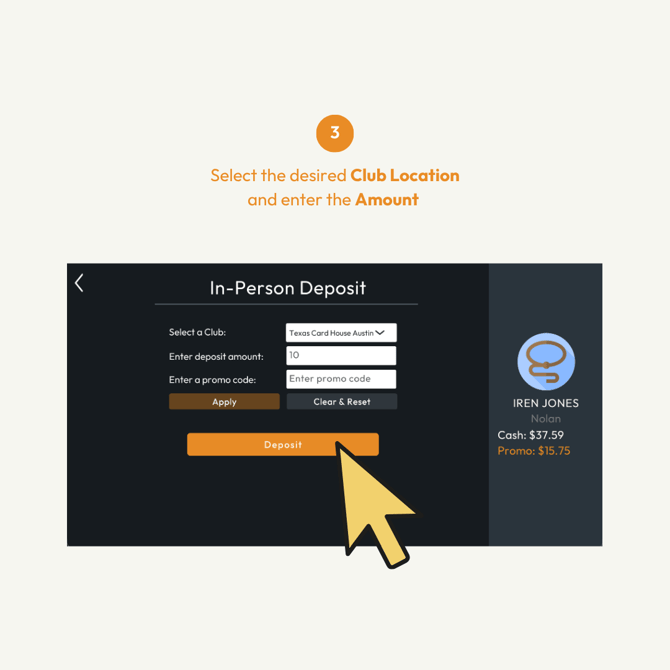
Select your preferred Club Location.
-
Enter the amount you want to deposit or withdraw.
-
If you have a promo code, enter it in the Promo Code field and click Apply.
-
Review your transaction details before continuing.
Note: Your transaction must be within your available in-person deposit or withdrawal limit.
Step 4: Verify Your Account
-
Enter the verification code sent to your registered phone number or email.
-
Click Verify Account to continue.
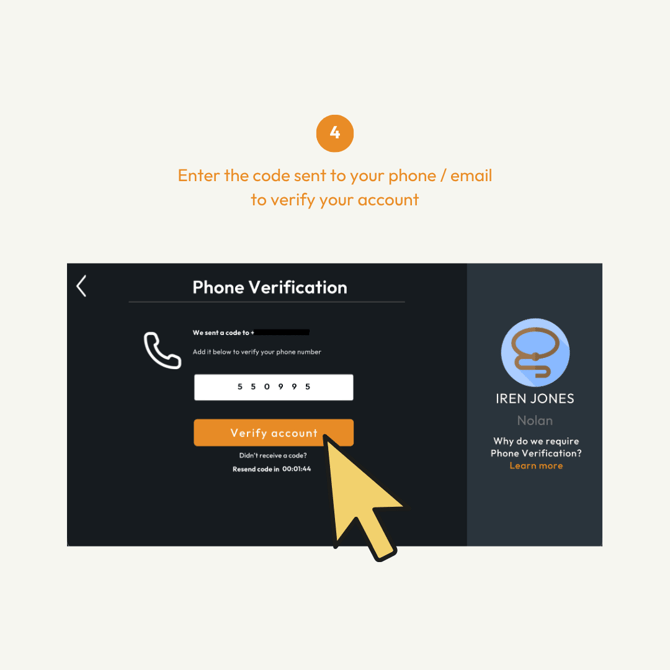
Need to update your contact information? See How Do I Change My Account Details in Hijack Poker.
Step 5: Confirm Your Transaction
After completing verification, you'll receive a transaction code.
-
Take note of your transaction code.
-
A copy will also be sent to your registered email address.
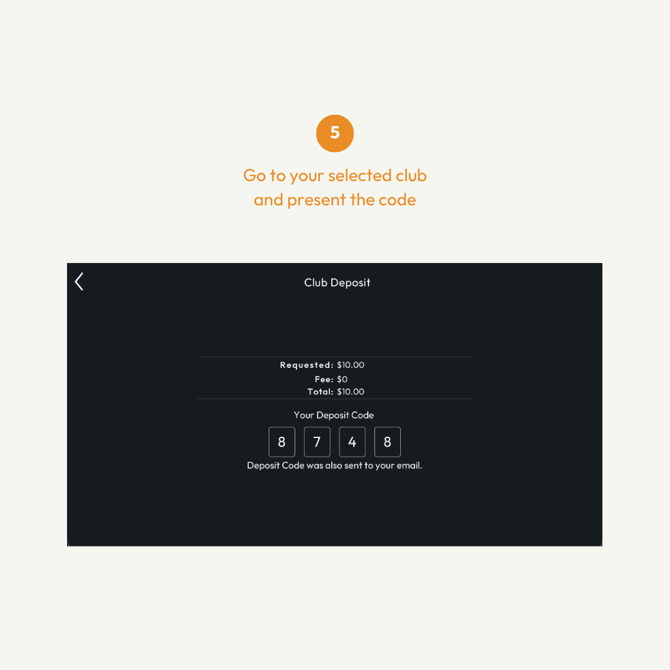
You'll need this code to complete your cash deposit or withdrawal at the club.
Step 6: Complete Your Transaction at the Club
-
Visit the cage at your selected Club Location.
-
Present your transaction code to the cage staff.
-
Provide a valid government-issued ID for verification.
-
Complete your cash deposit or withdrawal with the cage staff.
Once the transaction has been completed, you can review its details in the History section of Hijack Poker.
Important: Requesting a transaction through the website does not complete the cash deposit or withdrawal. You must visit the selected club location to finalize it.
Need Help?
If you have questions or experience difficulties requesting or completing a cash transaction, contact our Support team through:
-
In-app Chat Support
-
Email: support@hijackpoker.com
Please include your username, registered email address, and relevant transaction details so we can assist you.