
TABLE OF CONTENTS
MOBILE
1. Access Your Account
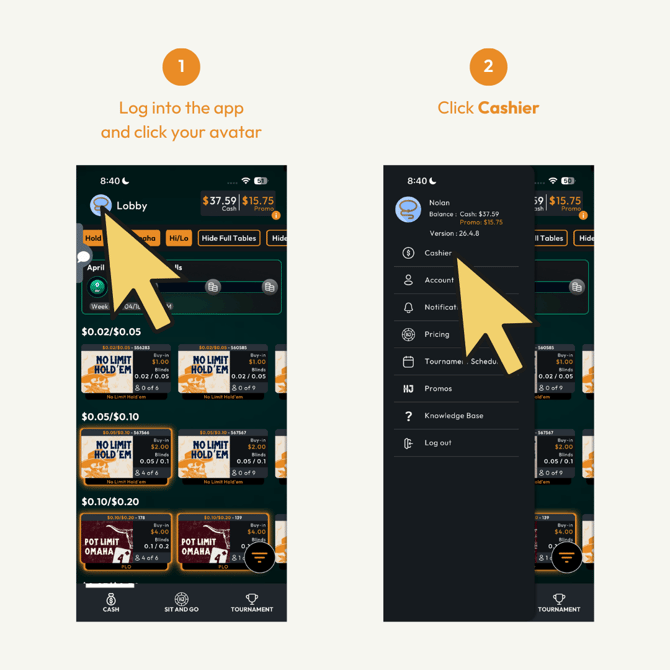
- Tap your avatar/profile icon at the top corner of the app
- Select Cashier from the menu
2. Select Transaction Type
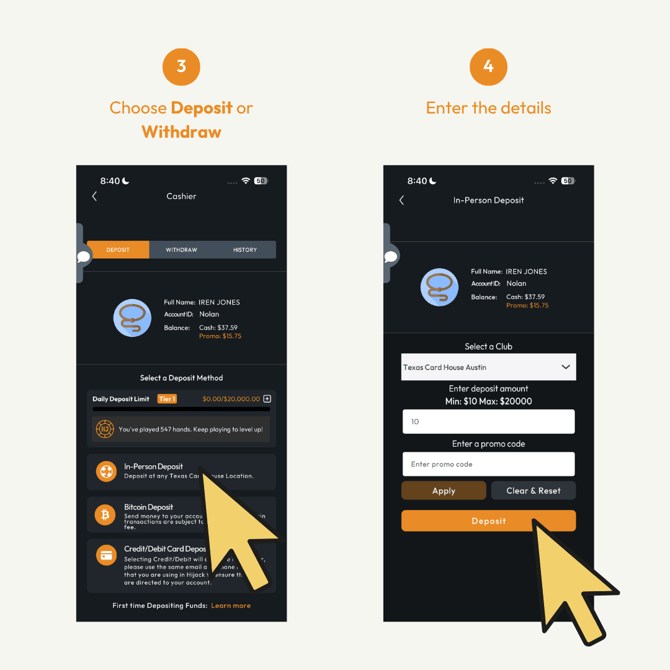
- Choose Deposit or Withdraw
- Fill in the transaction details:
- Select your preferred Club Location
- Enter the amount
- If you have a promo code, enter it in the Promo Code field, and tap Apply before proceeding
-
For limits, refer to Transaction Limits in Hijack Poker.
3. Account Verification
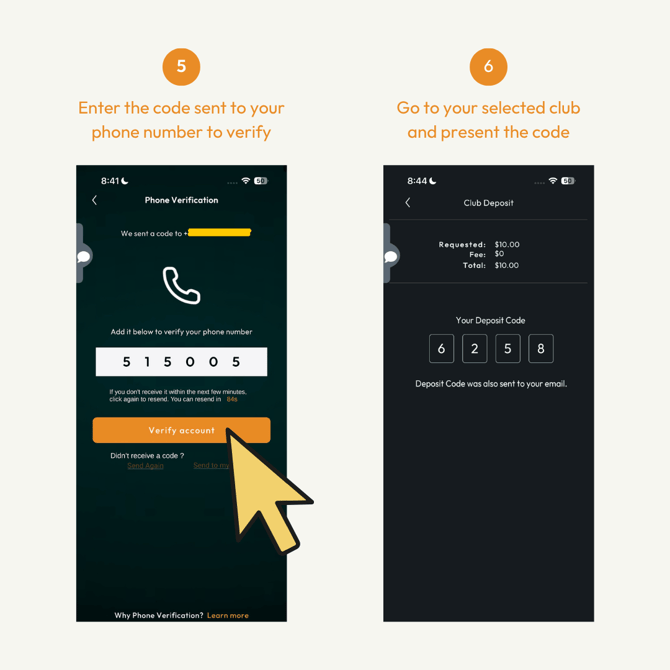
- Enter the verification code sent to your phone or email
- Tap Verify account
- (Need to update your number? Visit How Do I Change My Account Details in Hijack Poker?)
4. Finalize at the Club
- Visit your selected Club Location
- Show the staff your transaction code (also sent to your email)
- Bring a valid government-issued ID for verification
- Wait for the staff to complete your transaction
- Once done:
- Check your updated balance
- Or view your transaction in the History section